- unwind ai
- Posts
- Why Your Agent Rules Are Making It Dumber (And How to Fix It)
Why Your Agent Rules Are Making It Dumber (And How to Fix It)
How to fix AI Agent hallucinations and paralysis with hierarchical context engineering

Shubham Saboo
March 14, 2026
You've been here.
You spin up an agent with minimal instructions. It hallucinates a library that doesn't exist. It ignores your directory structure. It confidently writes code that won't compile.
So you add more rules.
Now it won't do anything. It refuses creative solutions because three of your rules technically conflict. It asks for clarification on every step.
You've built a bureaucrat, not an agent.
This is the core tension of context engineering. Too little context produces chaos. Too much produces paralysis.
The sweet spot isn't more rules or fewer rules.
It’s structure.
The attention problem
The context window isn't just your instructions. It's everything the model sees before generating a response: system prompt, conversation history, retrieved documents, tool definitions, previous outputs.
Every piece competes for attention.
Add too few constraints and the model fills gaps with its training distribution. Which may not match your codebase, your conventions, or reality.
Add too many and you create three problems:
Attention dilution. Important rules get lost in noise.
Conflict zones. Rule A says "always use TypeScript." Rule B says "match the existing file's language." The file is JavaScript. The agent freezes.
Rigidity. The model treats every rule as inviolable. It loses the judgment to break one when context demands it.
The research backs this up
A 2025 study tested 15 models including o3, GPT-4.1, Gemini 2.5 Pro, and Claude 3.7 Sonnet on multi-turn tasks.
The finding: an average 39% performance drop when information was gathered across turns instead of given upfront. Even reasoning models like o3 and Deepseek-R1 deteriorated in similar ways to non-reasoning models.
The researchers named this "lost in conversation." When LLMs take a wrong turn in multi-turn conversation, they get lost and do not recover.
Your pile of rules is making this worse.
The fix: hierarchy, not pile
Stop treating rules as a flat list. Build a pyramid.
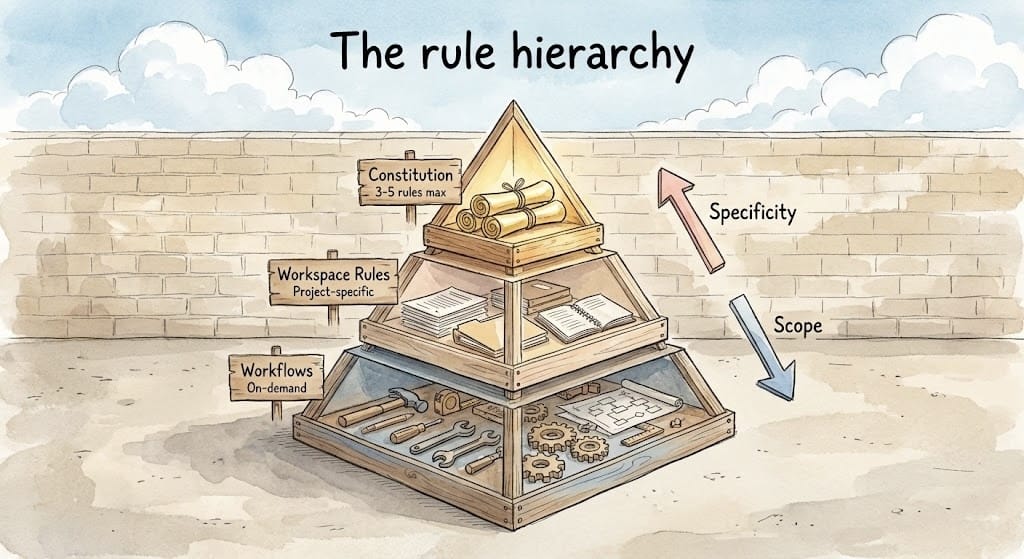
Layer 1: Constitution (3-5 rules max)
These are non-negotiables. They apply everywhere, always.
- Security first: never log secrets or PII
- All code must pass type checking
- Write tests for new functionality
Keep this layer small. If everything is critical, nothing is.
Layer 2: Workspace rules
Context specific to this repo, this project, this team.
- This repo uses pytest, not unittest
- Components go in src/components/
- We use Tailwind, no custom CSS
These override nothing in Layer 1, but they're always loaded for this workspace.
Layer 3: Workflows (on-demand)
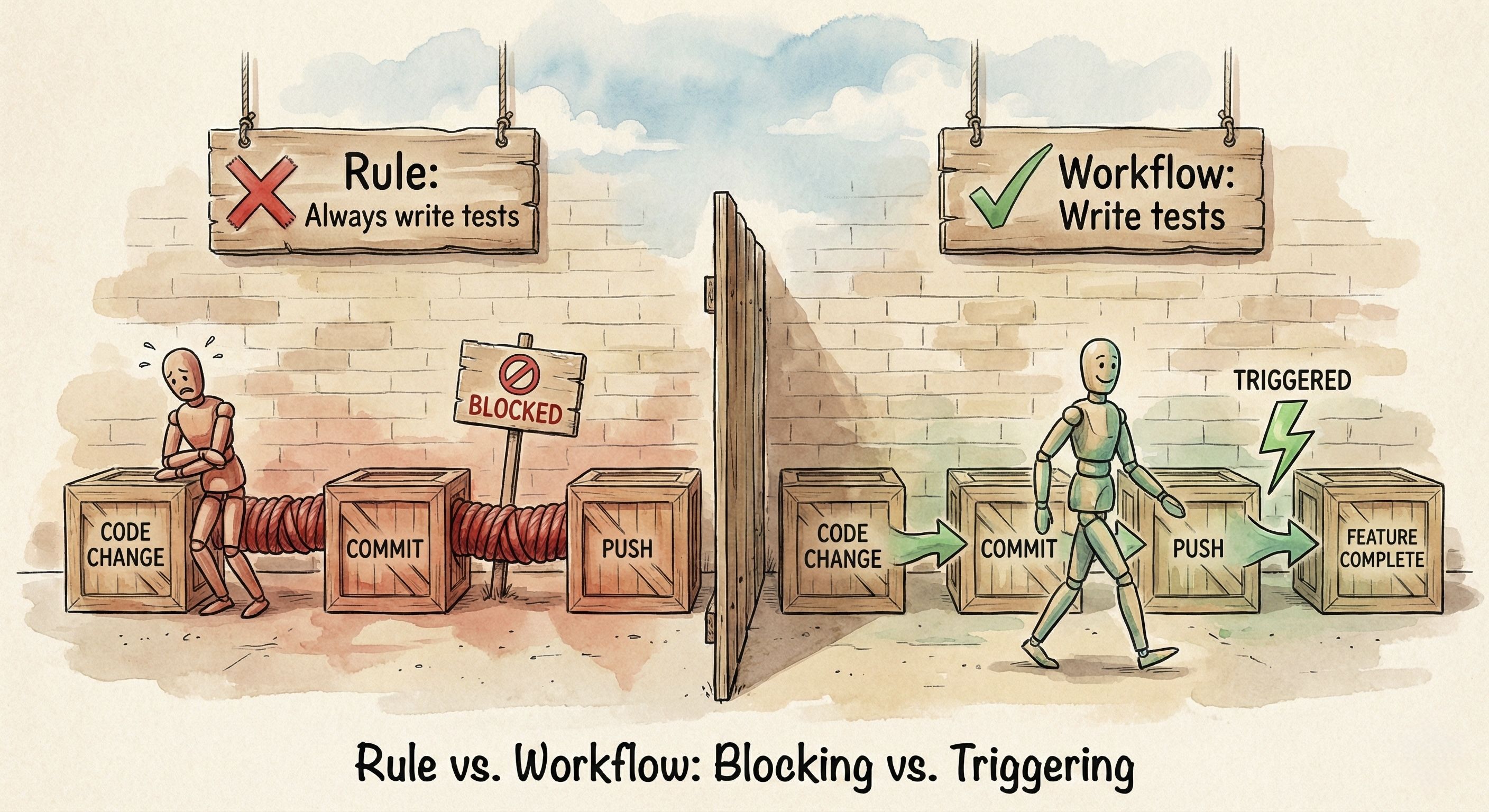
These aren't standing rules. They're scripts you trigger when needed.
Don't make "write unit tests" a permanent instruction that fires on every interaction. The agent will try to write tests while you're still scaffolding. Or it will refuse to proceed until tests exist.
Make it a workflow you invoke when a feature is complete.
Same applies to "run linting," "update documentation," or "check for security issues." These are actions, not constraints. Treat them as callable workflows, not ambient rules.
The priority clause
Structure alone doesn't solve the problem. What happens when Layer 1 says one thing and Layer 2 says another?
This is where most agent setups quietly break.
Your global rule says "always use TypeScript." Your workspace rule says "match the existing file's language." The file you're editing is JavaScript.
The agent freezes. Or worse, it outputs some hybrid that satisfies neither.
You need to explicitly tell the agent which instructions win when they conflict.
Add this to your system prompt:
When instructions conflict, follow this hierarchy:
1. Current user request (highest priority)
2. Workspace rules
3. Global rules (lowest priority)
This does two things.
First, it resolves ambiguity. The agent no longer has to guess whether your global style guide outweighs the repo-specific exception. You've told it: workspace wins.
Second, it gives the agent permission to break rules. Without this clause, agents treat every instruction as inviolable. You ask for a quick Python script, but your global rules say "always use TypeScript." The agent either refuses or contorts itself into some unholy TypeScript-that-calls-Python solution.
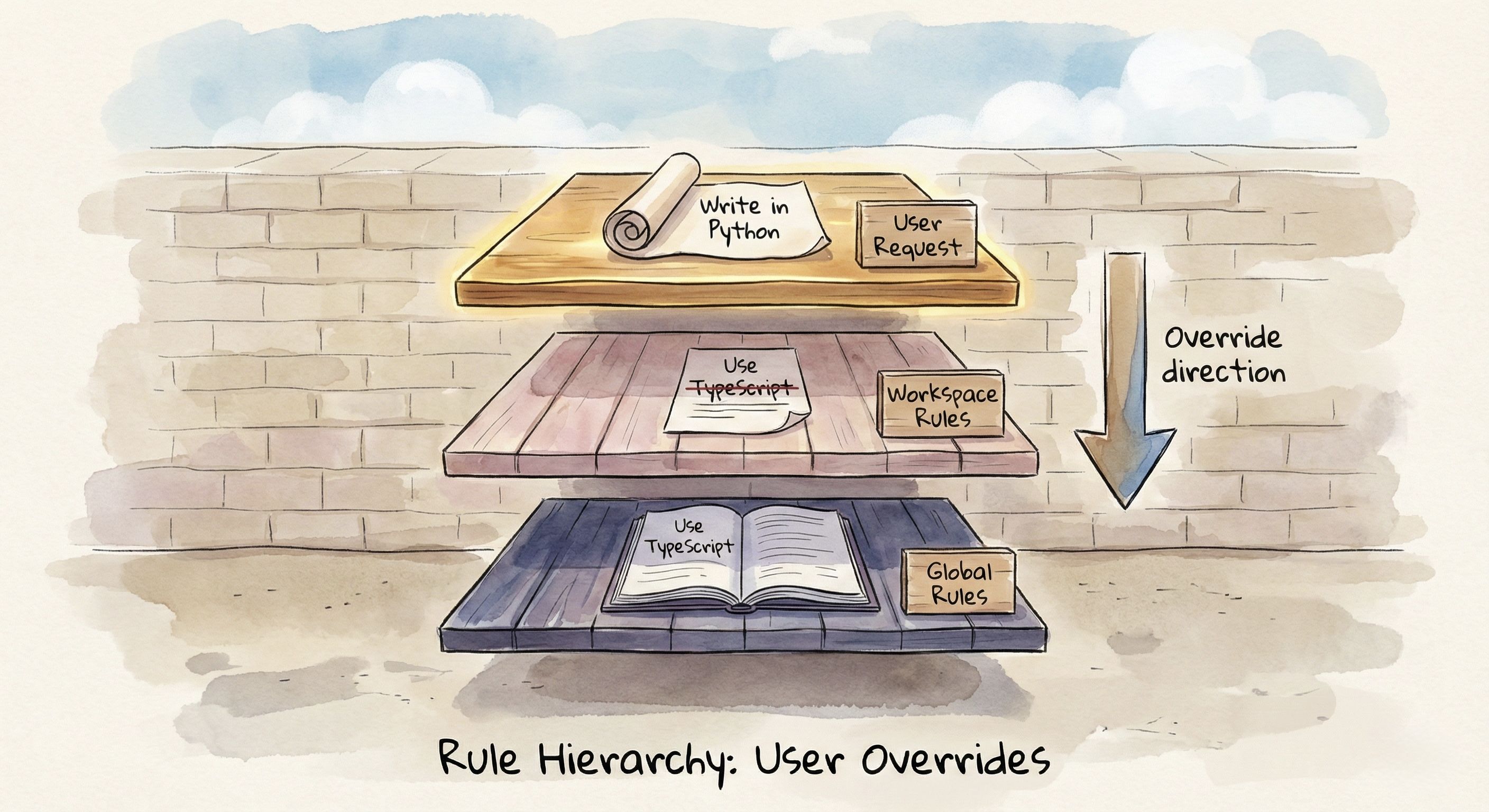
With the priority clause, the agent understands: if you explicitly asked for Python, your request outranks the global default. It can comply without having an existential crisis.
A practical example
I maintain the Awesome LLM Apps repo. Over 100 AI agent implementations. Here's a real conflict I hit.
My setup:
Global rule: "Organize code with proper separation of concerns. Utils in /utils, config in /config, core logic in /src."
Workspace rule: "Single-file implementations. Each agent is one Python file. Users trace the entire flow without jumping between files."
User request: "Add conversation memory to the travel agent"
Without a priority clause, the agent followed my global rule. It created four files: travel_agent.py, memory/conversation_store.py, utils/memory_helpers.py, and config/memory_config.py. Proper architecture. Completely wrong for this repo.
The whole point of Awesome LLM Apps is that developers can clone, read one file, and understand the entire flow in 10 minutes. The moment they have to jump between files, you've lost them.
With a priority clause, the agent knows: workspace wins. It adds memory directly to the existing travel_agent.py. One file. Complete flow visible. A developer can read top to bottom and understand everything.
Same model. Same request. The difference between a learning resource and a codebase nobody wants to navigate.
Rules vs. prompts
A common mistake: putting business logic in rules.
Bad rule: "Always implement bubble sort when asked for sorting."
This is too specific. It creates a conflict the moment you need QuickSort for a performance-critical path. Now you're either overriding your own rule or watching the agent implement an O(n²) sort on a million records.
Good rule: "Include time and space complexity in docstrings for all algorithms."
This is a style constraint. It applies universally regardless of which algorithm you choose. It shapes how code gets written without dictating what gets written.
The distinction matters. Rules should be durable.
They survive across hundreds of interactions without needing exceptions.
If you constantly override a rule, it was never a rule. It was a preference you incorrectly promoted to policy.
Before adding a rule, ask: "Is there a legitimate scenario where I'd want the opposite?"
"Always use TypeScript" → Yes. Quick scripts, legacy codebases, specific library constraints. This is a default, not a rule.
"Never commit secrets to the repo" → No. There's no legitimate exception. This is a rule.
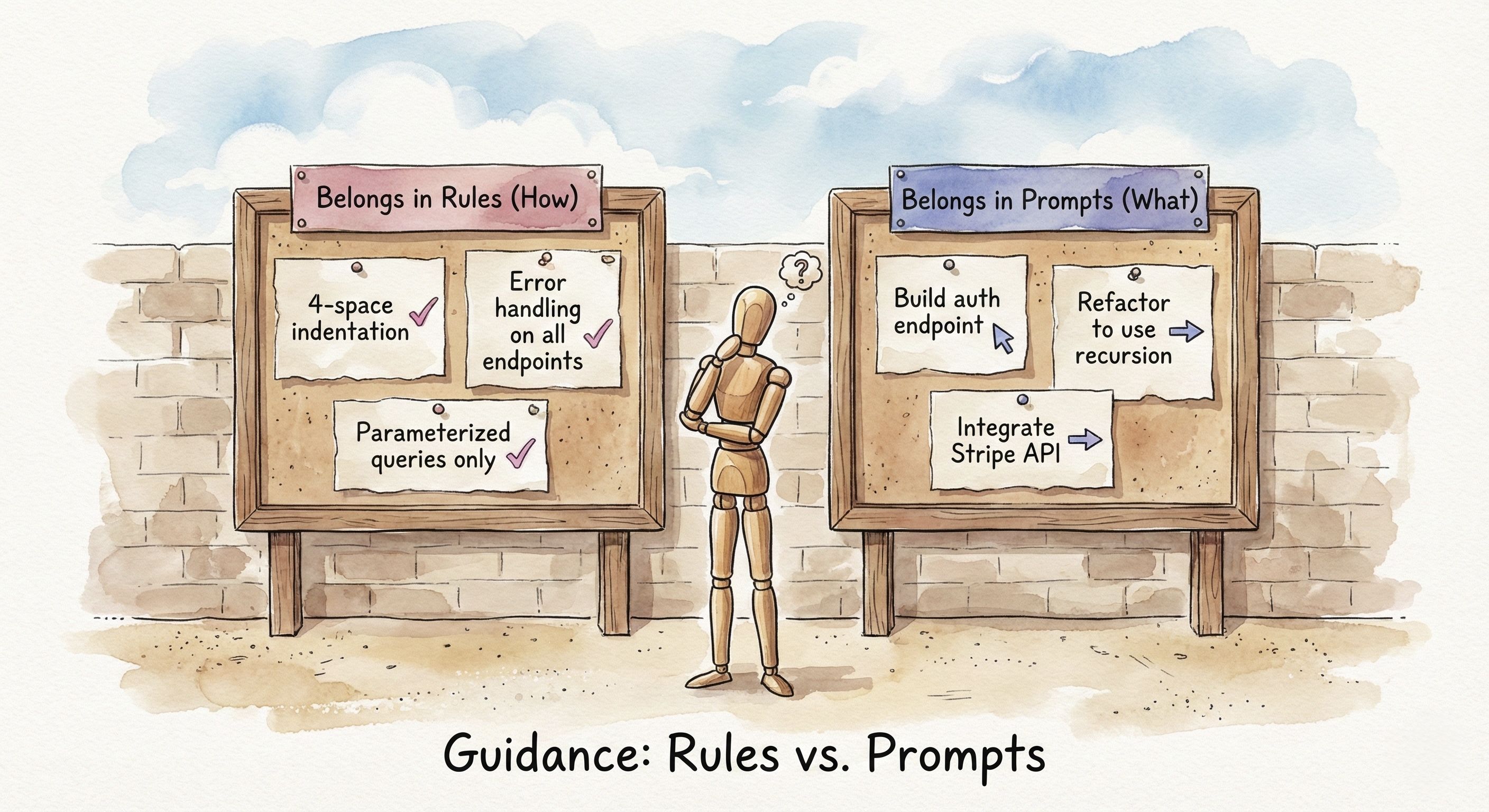
Rules constrain form. Prompts specify intent.
When business logic leaks into rules, you get an agent that either can't adapt or fights you when you have a good reason to deviate.
The negative constraint trap
LLMs struggle with excessive negation.
"Don't write spaghetti code. Don't use deprecated APIs. Don't create files outside the project root. Don't..."
Each negation consumes attention without giving direction. It's a minefield, not a map.
Reframe positively.
Instead of "don't write spaghetti code," write "separate distinct logic into dedicated modules."
Instead of "don't use deprecated APIs," write "check API documentation dates before using."
Instead of "don't create files outside project root," write "all new files must be within ./src/."
Positive constraints guide. Negative constraints only forbid.
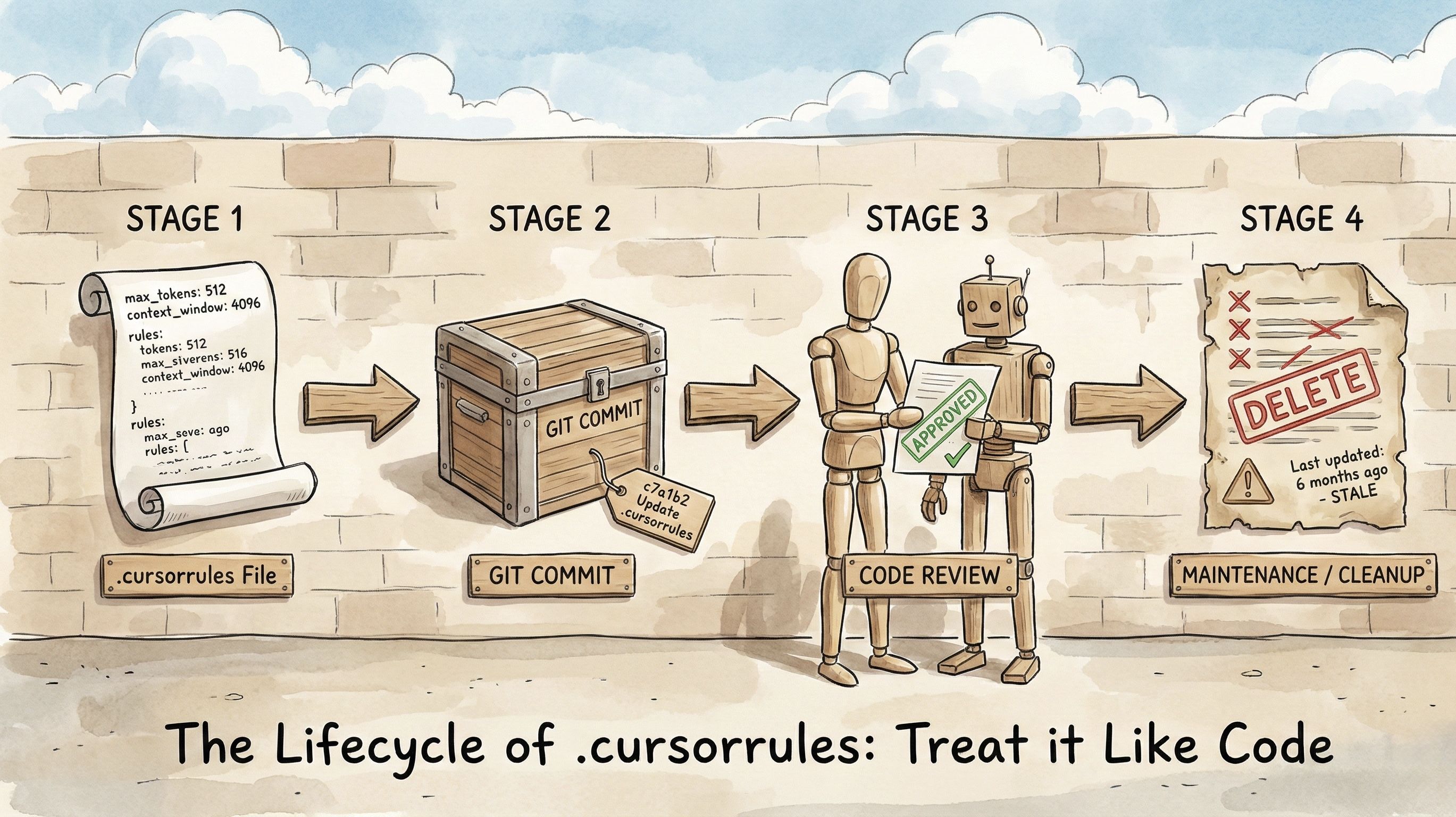
Treat context as code
Your .cursorrules, CLAUDE.md, GEMINI.md, AGENTS.md.
These are source code for your agent. Maintain them like code.
Monthly audit. Read your rules. Do they still apply?
Deprecation. If a rule hasn't been relevant in 10 sessions, delete it. Zombie rules clog the context window and increase hallucination rates.
Version control. Track changes. When the agent starts misbehaving, you can diff what changed.
The real skill
Context engineering isn't about scripting every move. It's about building guardrails that let the agent run fast without crashing.
Too few guardrails: it runs off the road.
Too many: it can't move.
The sweet spot is a hierarchy with clear priorities, positive constraints, and regular pruning.
You're not writing a rulebook. You're designing an environment.
Open your .cursorrules or AGENTS.md or CLAUDE.md right now. How many rules haven't been relevant in the last month?
Delete them. See what changes.
We share in-depth blogs and tutorials like this 2-3 times a week, to help you stay ahead in the world of AI. If you're serious about leveling up your AI skills and staying ahead of the curve, subscribe now and be the first to access our latest tutorials.
Reply