- unwind ai
- Posts
- Clawdbot and Everything That Really Matters
Clawdbot and Everything That Really Matters
+ MCP Apps bring interactive UI to Claude


Shubham Saboo & Gargi Gupta
January 27, 2026
In partnership with

Today’s top AI Highlights:
& so much more!
Read time: 3 mins
AI Tutorial
Evaluating startup investments requires hours of research across multiple domains - company analysis, market research, financial modeling, and risk assessment. This setup literally automates this entire workflow with AI agents that work together like a real investment team.
In this tutorial, you'll build an AI Due Diligence Agent Team using Google's Agent Development Kit (ADK) and Gemini 3 models, and Nano Banana.
This 7-agent team researches any startup (from early-stage unknowns to well-funded companies), analyzes the market, builds financial projections, assesses risks, and generates professional investment reports - all autonomously with seamless handoffs and a sophisticated analysis with reports.

We share hands-on tutorials like this every week, designed to help you stay ahead in the world of AI. If you're serious about leveling up your AI skills and staying ahead of the curve, subscribe now and be the first to access our latest tutorials.
Latest Developments
Cut Through the Clawdbot Noise - Start Here 🦀📚
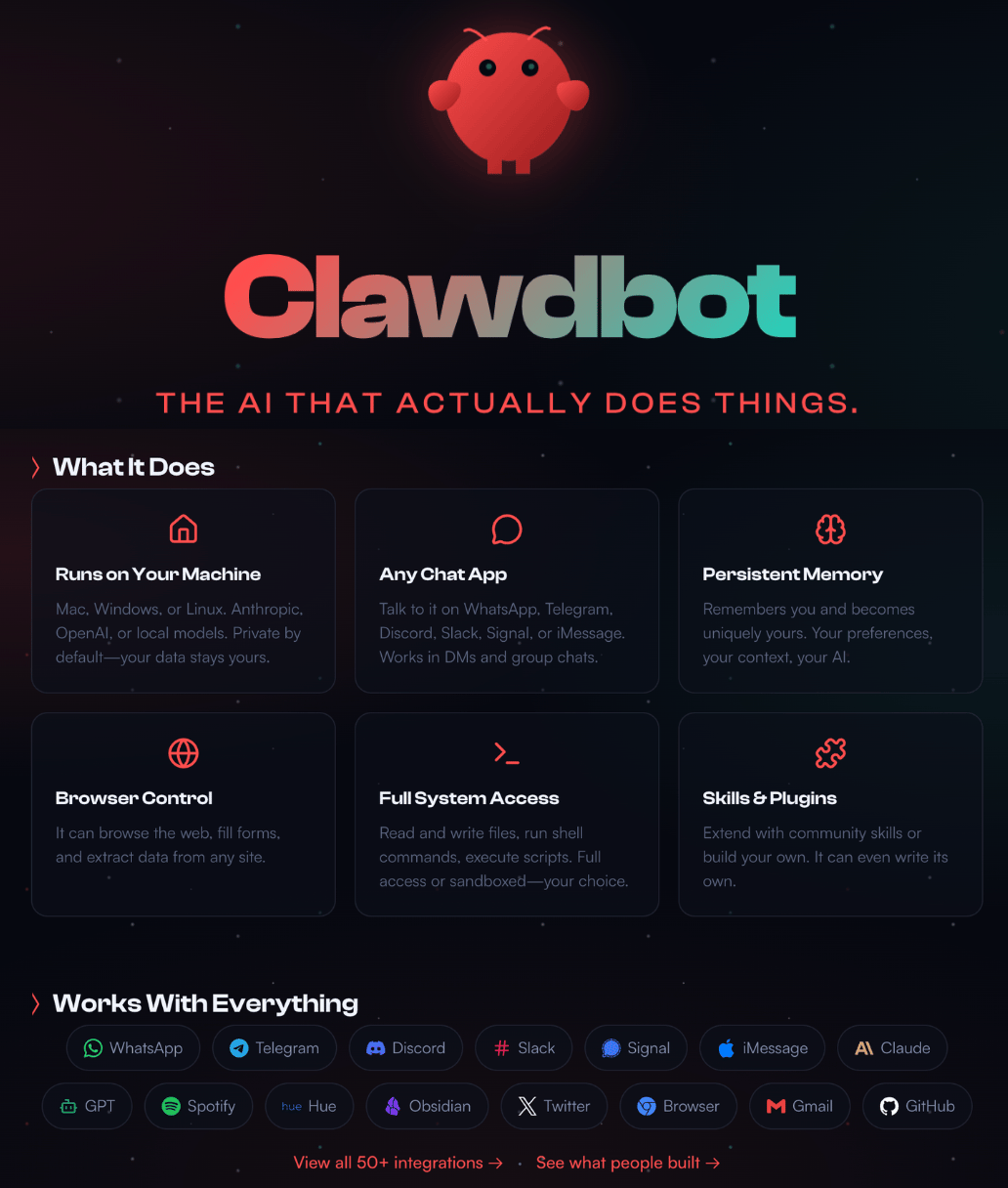
You must’ve seen the hype by now: Clawdbot, the open-source AI agent that turns LLMs into proactive agents, running locally on your hardware for endless automation.
If you're living under a rock, though: Clawdbot, an open-source project by Peter Steinberger, has exploded to over 30,000 GitHub stars by delivering something most AI tools promise but never achieve: an assistant that actually lives in your workflow and gets smarter with you.
Clawdbot integrates directly into WhatsApp, Telegram, Discord, iMessage, and Slack. You message it like a coworker, and it responds with full computer access to execute tasks, write code, and automate workflows. Yes, it has access to everything on your computer!
The system maintains persistent memory across all your conversations and devices, supports any major AI model, and can write its own skills on demand.
Now, if we’re done catching up, here’s something more actionable for you. We've scoured web sources and X discussions to highlight the best starters, explainers, and deep dives .
Getting Started Videos (Hands-On Setup in Minutes):
For beginners: "How To Install ClawdBot (Beginners Tutorial)" walks through secure installation and risks.
The most viral 2-minute quick guide on free AWS deployment tutorial - perfect for Mac Mini skeptics.
Local models focus: "Clawdbot with Local Ollama Models" for Ollama integration without APIs.
Best Explanatory Articles (Clear Overviews):
Practical intro: "Clawdbot: the $5/month AI Assistant That Actually Messages You First" breaks down setup and real-world use:
What you really need to be careful about if you’re setting up Clawdbot for the first time:
Deep Dives on Architecture (Technical Breakdowns):
Core engineering: "The Engineering Behind Clawdbot: Architecture, Protocols, and Trade-offs" dissects gateways, memory layers, and trade-offs:
How Clawdbot Remembers Everything is one of the best deep dives on Clawdbot’s memory and execution.
Intrigued but not reckless? Read the security deep-dive first, then experiment on a spare machine. But do try it out if you want to feel closer to AGI.
Want to get the most out of ChatGPT?

ChatGPT is a superpower if you know how to use it correctly.
Discover how HubSpot's guide to AI can elevate both your productivity and creativity to get more things done.
Learn to automate tasks, enhance decision-making, and foster innovation with the power of AI.
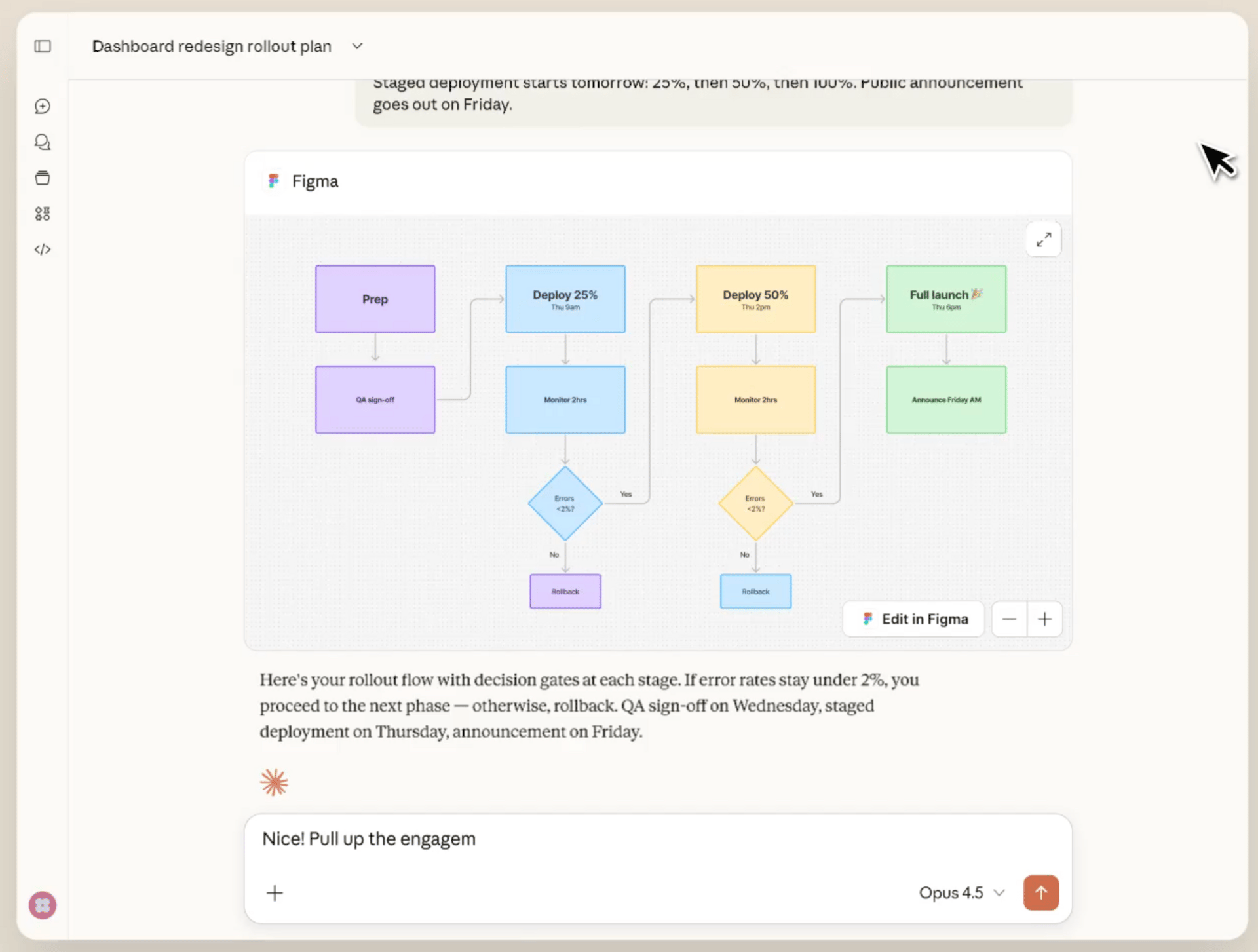
ChatGPT has apps. Now Claude has them too.
Starting today, Claude lets you interact with your work tools directly inside conversations. Build Asana timelines, draft formatted Slack messages, create Figma diagrams, and search Box files without ever leaving the chat window.
These MCP Apps in Claude render interactive interfaces right in the conversation, so you can see changes as they happen, adjust parameters on the fly, and collaborate with Claude in a genuinely interactive way.
The implementation runs on MCP Apps, a new extension to the Model Context Protocol that lets any MCP server deliver interactive UI components within AI applications. This isn't just a Claude feature; it's an open standard that works across ChatGPT, Goose, VS Code, and any other client that adopts it.
Key Highlights:
Real-time tool interaction - Nine integrations are already built, including Amplitude, Asana, and, Canva - all with live previews and interactive controls inside Claude.
Bidirectional communication - Apps can call server tools from the UI, receive tool results from the host, update model context based on user interactions, and send follow-up messages. This creates a true collaboration loop where Claude understands what you're doing inside the tool interface and responds intelligently.
Sandboxed security model - All UI content runs in sandboxed iframes with restricted permissions, pre-declared templates that hosts can review, auditable JSON-RPC communication, and optional user consent for tool calls, ensuring third-party interfaces can't compromise the host environment.
Compatibility - MCP Apps standardizes the patterns pioneered by MCP-UI and OpenAI Apps SDK, allowing you to build once and deploy across Claude, ChatGPT, Goose, and VS Code without client-specific code.
Quick Bites
GitHub open-sources its Copilot Agent runtime
GitHub released the Copilot SDK, giving developers programmatic access to the same agent runtime that runs under the hood of Copilot CLI. The SDK handles the entire execution loop—planning, tool calls, command execution, multi-turn context—across four languages, letting you treat GitHub's production agent as an embeddable platform rather than rebuilding agentic behavior from scratch.
Qwen’s new 1T parameter model with tool-integrated reasoning
Alibaba's Qwen3-Max-Thinking just went public with full reasoning mode after months in preview. The 1T+ parameter model hit 100% on AIME25 and HMMT math benchmarks using parallel test-time compute and a built-in code interpreter, and it can now interleave tool calls directly within its reasoning process—web search, webpage parsing, and code execution all happening mid-thought through a 262K context window. Available now via Alibaba Cloud Model Studio API and Qwen Chat - try the thinking mode on your toughest reasoning tasks.
Claude Code for VS Code now in GA
Anthropic just shipped the VS Code extension for Claude Code to GA, and it feels like the CLI experience your editors actually deserve. The new interface brings @-mentions for file context and familiar slash commands (/model, /mcp, /context) directly into VS Code. If you're already using Claude Code from the command line, this is essentially the same power with better editor integration, and if you prefer the old terminal-style experience, there's a setting to switch back.
Tools of the Trade
Remotion Agent Skill: Teach Claude Code to generate professional motion graphics through simple prompts. It treats video as code where each frame is a React component you can manipulate. This Skill teaches Claude Code the framework's patterns (timing, sequences, animations), so you can generate MP4s by describing what you want instead of writing the React components yourself.
YOLO-cage: Runs Claude Code in YOLO mode inside a Kubernetes pod with a scanning proxy that blocks secrets from leaving. It catches API keys, credentials, and tokens in outbound traffic while still letting agents access the internet for docs and packages, so you can run multiple coding agents in parallel without babysitting permissions.
Kapso Agent Skill: Teaches AI agents how to build WhatsApp messaging systems - from sending template messages and creating interactive flows to managing multi-tenant customer accounts. The skills package five modules covering everything from basic message sending to database management and debugging.
Figma Connect in MagicPath: turns designs into interactive prototypes through direct copy-paste. No MCP or plugins required. Hit ⌘L in Figma, paste into MagicPath, and your design becomes editable code that preserves typography, colors, layouts, and all assets.
Awesome LLM Apps - A curated collection of LLM apps with RAG, AI Agents, multi-agent teams, MCP, voice agents, and more. The apps use models from OpenAI, Anthropic, Google, and open-source models like DeepSeek, Qwen, and Llama that you can run locally on your computer.
(Now accepting GitHub sponsorships)

Hot Takes
Whoever builds a direct-to-customer frontend wrapper of clawdbot is going to print money
The amount of crap I get for putting out a hobby project for free is quite something.
People treat this like a multi-million dollar business. Security researchers demanding a bounty.
Heck, I can barely buy a Mac Mini from the Sponsors.
It's supposed to inspire people. And I'm glad it does.
And yes, most non-techies should not install this.
It's not finished, I know about the sharp edges.
Heck, it's not even 3 months old.
And despite rumors otherwise, I sometimes sleep.
That’s all for today! See you tomorrow with more such AI-filled content.
Don’t forget to share this newsletter on your social channels and tag Unwind AI to support us!
PS: We curate this AI newsletter every day for FREE, your support is what keeps us going. If you find value in what you read, share it with at least one, two (or 20) of your friends 😉
Reply